Updated: 11th November 2025
Ransomware used to be ‘a Windows problem.’ Today, that thinking is outdated. As more businesses, especially in the creative and finance sectors, rely on Macs, the threat landscape has changed. Ransomware attacks are becoming more sophisticated, moving beyond simple encryption to target crucial business data across all operating systems. If your business runs on a mix of Apple and Windows devices, you need a cyber strategy that protects both.
Introduction
For years, Mac users enjoyed a certain immunity to the worst cyber threats. The Mac operating system, macOS, was less of a target and more secure by design. However, the business world has shifted. Macs are now central to high-value operations, making them a lucrative target. Ransomware is no longer a niche threat for Apple users; it’s a clear and present danger to hybrid environments.
This guide cuts through the noise to provide a clear, practical strategy for protecting your Mac fleet. We’ll look at the built-in defences and the essential security layers your business needs to stay productive, secure, and stress-free.
Why is Mac ransomware riskier now?
Apple has built powerful technologies into macOS to reduce your risk. These aren’t complete solutions, but they are a crucial first line of defence:
How does gatekeeper stop malware?
Gatekeeper checks that apps downloaded from the internet have been notarised by Apple—a verification that confirms the software comes from an identified developer and has been scanned for known malicious content. This is highly effective against most low-level malware. To maintain this protection, you should always avoid overriding Gatekeeper’s warnings unless you are absolutely sure about the software source.
Is XProtect enough to keep my Mac safe?
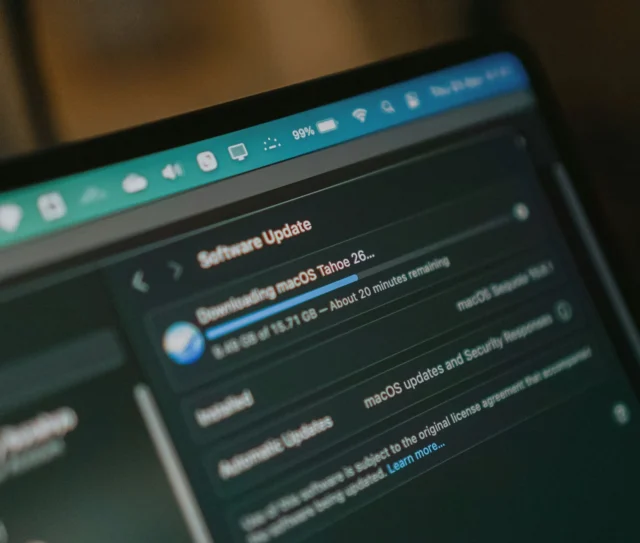
XProtect runs in the background, automatically checking any app you open against Apple’s continually updated list of known malware signatures. It’s a vital, always-on defence. For XProtect to be most effective, your Macs must be running the latest operating system and have automatic updates for Security Responses and system files switched on.
Where do built-in defences fall short?
Built-in tools like Gatekeeper and XProtect only protect against known threats. They may miss brand-new, zero-day attacks or sophisticated, targeted campaigns. Relying only on Apple’s native features leaves a gap, especially in a fast-moving, hybrid IT environment.
Why do businesses need extra security software?
An additional layer of Endpoint Detection and Response (EDR) or robust anti-malware software is essential. This software does more than check against a list; it monitors the behaviour of applications and files in real-time. It can spot the suspicious, unusual activity that is characteristic of a ransomware infection before the encryption process begins, protecting your system from the unknown.
The ultimate defence: proactive backups and recovery
If a breach does occur, your ability to recover quickly depends on your backup strategy. Ransomware targets data, so the best way to defeat it is to make that data easily and securely restorable from a clean source.
What makes a backup ‘ransomware-proof’?
- Offsite and Cloud-Based: Backups must be stored somewhere that is physically and logically separate from your primary network. Cloud services like Backblaze or CrashPlan for business are excellent for this.
- Versioned: Your backup system must keep multiple file versions. If a ransomware attack encrypts your latest files, you can simply roll back to a clean version from yesterday or the day before.
- Always Disconnected: Avoid keeping physical backup drives connected 24/7. Modern ransomware is designed to encrypt or delete connected backups. Professional IT partners schedule backups to prevent a compromised system from accessing the backup volume.
What If a Mac is Infected? Your Action Plan
Even with the best preparation, a targeted attack can sometimes get through. If you suspect an infection:
- Disconnect Immediately: Unplug the Mac from the network and turn off Wi-Fi. This stops the ransomware from spreading to other devices or network storage.
- Do Not Pay: Paying the ransom encourages more attacks and offers no guarantee of data recovery.
- Call Your IT Partner: Contact your IT support team immediately. They have the expertise to isolate the threat, determine the scope of the damage, and guide the recovery process using your clean, versioned backups.
Actionable takeaways
- Update Relentlessly: Always run the latest version of macOS and ensure Security Responses and system files are set to install automatically.
- Layer Up: Don’t rely on just one defence. Implement a reputable EDR or anti-malware tool that provides advanced, behaviour-based monitoring.
- Audit Your Backups: Confirm your data is being backed up offsite, is versioned, and is not permanently connected to your network. This is the single most important step for business continuity.
Dr Logic acts as a proactive partner, handling the complexity of security across your mixed Apple and Windows fleet. We monitor and maintain your systems 24/7, ensuring that your security posture evolves faster than the threats. Our approach removes the stress of hybrid IT and allows your team to focus on growth, not fear.
Protect your hybrid environment
Feeling confident about your Mac fleet’s security shouldn’t be a guessing game, especially in a mixed-OS business environment. You need a cyber strategy that is robust, proactive, and tailored to the way your business actually works—seamlessly blending Apple and Windows security.
Dr Logic provides Apple-first IT support and a Cyber Security service that builds a strong, adaptive defence around your entire business. We don’t just react to problems; we build a resilient, secure foundation so you can scale and innovate without interruption.
Speak to a Dr Logic expert today about a complimentary cyber security audit for your hybrid business. Discover the gaps, get the plan, and feel truly supported.
Related articles
- The Hybrid IT Health Check: Performance, Guaranteed
- The New Digital Workplace: Designing Hybrid Experiences That Just Work
- Building an IT Strategy for Apple-First or Hybrid Businesses
FAQs
Is Mac ransomware a real threat in 2025?
Yes, while historically less common than Windows attacks, the risk has significantly increased due to the growing complexity of cross-platform malware and the Mac’s increased presence in high-value business environments.
What is the best defence against Mac ransomware?
Layered security, combining robust backups (versioned and offsite), built-in macOS features like Gatekeeper, and professional, proactive IT support and monitoring.
Does Apple's XProtect protect against all ransomware?
XProtect is effective against known malware, but it is not a complete solution. It must be paired with user vigilance, up-to-date operating systems, and often, an additional layer of security monitoring to catch new threats.