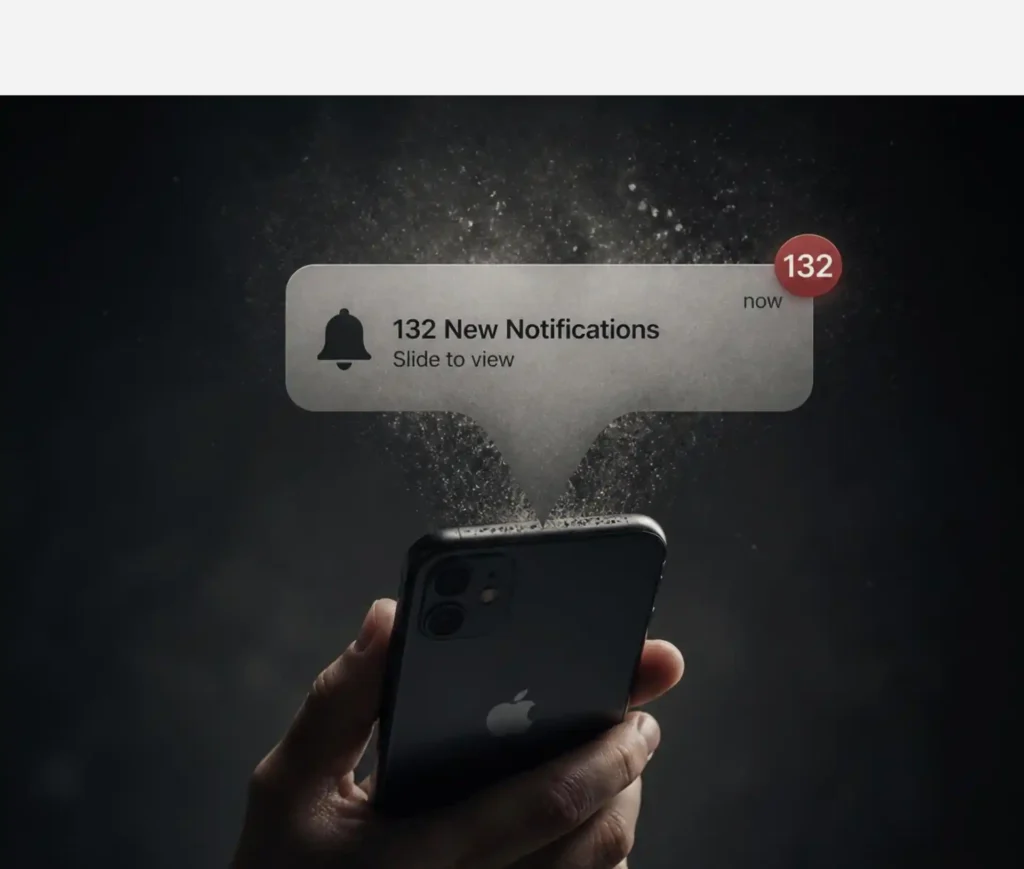
Multi-factor authentication was supposed to close the door on stolen passwords. Attackers found a way to knock loudly enough that someone opens it anyway. Here is why push-notification bombing still works on well-trained staff, how big the problem actually is in 2026, and what a phishing-resistant setup, built on passkeys and FIDO2, actually looks like for a Mac-first business.
If you have MFA enabled across your business, you have done the right thing. But not all MFA is built the same way, and the gap between “MFA enabled” and “MFA that resists a determined attacker” is exactly where push-notification bombing lives.
What is ‘push-notification bombing’?
Push-notification bombing, also called MFA fatigue, MFA bombing, or prompt bombing, is a social engineering technique, not a technical exploit. The attacker does not break the cryptography behind MFA. They exploit the fact that a human has to look at a prompt and decide whether to tap “approve.”
The attack typically runs in stages:
- Credential theft. The attacker already has a valid username and password, usually from phishing, malware, or a dark web credential dump.
- Login attempts. They use those credentials to try logging in, repeatedly. Each attempt sends the account owner a new MFA push notification.
- Prompt flooding. The attacker keeps trying, sometimes sending dozens or hundreds of prompts in quick succession, sometimes spacing them out over hours to wear the target down more subtly.
- Fatigue exploitation. Eventually, the target approves one, out of frustration, confusion, or simply to stop the notifications. Some attackers add a final push: a WhatsApp message or phone call posing as IT support, telling the victim to “just approve the next one.”
- Account access. One approval is all it takes. The attacker is in, often with the same access as the employee whose account they hijacked.
No malware, no exploit code, no cracked encryption. It’s a simple case of exploiting noise, timing, and human exhaustion.
Why it still works
Three things make this attack effective even against staff who know MFA is important.
Push notifications are designed to require almost no thought. A single tap approves the request. That is the whole appeal of push-based MFA over typing in a code, and it is also the vulnerability. There is no friction between “I got a notification” and “access granted.”
People are already saturated with notifications. The average smartphone user receives dozens of app notifications a day. One more prompt, arriving at an inconvenient moment, does not automatically register as suspicious.
Attackers exploit timing and multi-channel pressure. Push-bombing campaigns are frequently launched late at night or at weekends, when the target is tired and IT support is unavailable. Some attackers combine the flood of prompts with a direct message or call impersonating internal IT, so the request feels validated from two directions at once rather than looking like an isolated glitch.
How big a problem is this today?
Let’s cut to the chase: It is one of the most consistently used account takeover techniques of the past four years, and it has been behind some of the highest-profile breaches on record.
The clearest example remains the September 2022 Uber breach. The Lapsus$ exploitation group (Lapsus being the psychoanalytic term for ‘a slip of the tongue’) obtained VPN credentials for an external contractor, then flooded the contractor’s phone with MFA push requests. When the requests alone did not work, the attacker contacted the contractor on WhatsApp posing as Uber IT support and told them to approve the next prompt to make the notifications stop. It worked. The attacker gained access to internal systems including Slack and Google Workspace. Uber confirmed the same group had used comparable tactics against Microsoft, Cisco, Samsung, Nvidia, and Okta earlier the same year.
The scale is significant, too. Microsoft has reported detecting hundreds of thousands of MFA fatigue attempts across a single year of monitoring, with a small but meaningful share of users approving the very first unexpected prompt they receive without questioning it. Separate figures from Microsoft’s own research point to thousands of attempted push-bombing sign-ins recorded daily across its user base.
Regulators and standards bodies have responded accordingly. NIST’s SP 800-63-4 identity guidelines now expect any system operating at Authenticator Assurance Level 2 to offer a phishing-resistant option, and require it outright at Level 3 for high-value systems. In the UK, the National Cyber Security Centre updated its MFA guidance to move phishing-resistant authenticators from “recommended” to “preferred for high-impact accounts,” and its own technical comparison marks every traditional MFA method (SMS codes, authenticator app codes, and push approvals alike) as always vulnerable to the phishing and interception techniques attackers now use at scale. The EU’s cyber security agency, ENISA, has gone further still, naming passkeys the strongest phishing-resistant MFA option in its NIS2 technical guidance.
The financial exposure backs up the regulatory pressure. IBM’s 2025 Cost of a Data Breach Report put the average breach at $4.44 million, and Verizon’s 2026 Data Breach Investigations Report continues to list stolen credentials among the most common routes attackers use to get in. For a UK SME, meeting Cyber Essentials by simply switching MFA on satisfies the compliance requirement. It does not, by itself, stop a determined attacker from bombing an employee into submission.
Why traditional MFA isn’t enough anymore
This is the distinction the NCSC has been most blunt about: not all MFA is equal, and the format matters far more than whether MFA is “enabled.”
SMS codes, authenticator app codes, and simple push approvals all share the same underlying weakness. They are strings or actions a user can be tricked into handing over, whether through a fatigue attack, a fake login page, or a real-time proxy that relays the session between the victim and the attacker before the code expires. The second factor changes nothing in that scenario, because the attacker simply captures it alongside the password.
FIDO2 credentials, including passkeys, work differently. The private key never leaves the device. Every authentication is a cryptographic challenge signed against the exact domain the browser reports. Point a user at a convincing fake site, and there is no credential registered for that domain to sign against. Nothing is returned, and nothing can be relayed. It is not that the attack is harder to pull off. There is no surface for it to work against at all.
One caveat worth knowing as more platforms roll out passkeys: attackers are expected to increasingly attempt “downgrade” attacks, using a proxy to push a login toward whichever weaker method is still active on the account. A passkey sitting alongside an unused-but-still-enabled SMS fallback does not close the door. It just adds a lock next to the window that is still open.
What phishing-resistant MFA actually means for a Mac-first business
For businesses running on Apple hardware, moving to phishing-resistant MFA is a smaller lift than it sounds.
Passkeys are already built into the ecosystem your team uses every day. iCloud Keychain syncs passkeys end-to-end encrypted across Mac, iPhone, and iPad, authenticated through Face ID, Touch ID, or the device passcode. The hardware doing the cryptographic work, the Secure Enclave, is already sitting in every Mac and iPhone your business owns. There is no new device to procure for the majority of staff.
Hardware FIDO2 keys still have a place, specifically for admin and shared accounts. A physical security key (a YubiKey or similar) pairs with Macs and iPhones over USB-C or NFC and is the right choice for privileged accounts, break-glass access, and any login that cannot be tied to a single person’s biometrics.
Coverage is good but not universal in 2026. Microsoft 365 and Entra ID passkey profiles went generally available in March, and Google Workspace supports full passwordless sign-in. But a lot of the day-to-day tools a growing business runs on, project management platforms, accounting software, and industry-specific applications, have not caught up yet. The practical approach is the same one we recommend across our authentication guidance: enable passkeys everywhere they are supported, starting with email, cloud storage, financial platforms, and your identity provider, and keep a well-managed password manager plus MFA underneath everything else in the meantime.
Actionable steps to mitigate push-notification bombing
You do not need a full passkey rollout to shut down most push-bombing attempts. Start here.
Immediate, low-cost fixes:
- Turn on number matching for any push-based MFA still in use. Microsoft has enforced this by default in Authenticator since 2023, requiring the user to type a number shown on the login screen into the app, rather than tapping a single “approve” button. If your client is on Duo or Okta, confirm the equivalent setting is switched on. This alone removes the one-tap exploit that makes fatigue attacks trivial.
- Set attempt thresholds and rate limiting. Configure the identity provider to lock the account, or alert your security team, after a defined number of failed or pending MFA requests within a short window, rather than allowing unlimited retries.
- Turn on risk-based sign-in alerts. Flag or block logins from unfamiliar locations, new devices, or impossible travel patterns, and require step-up verification when something looks unusual.
- Retire phone call and SMS approval where you can. They are the weakest and easiest to socially engineer of the traditional methods.
- Give staff one simple rule and repeat it often: an unexpected MFA prompt gets denied and reported, never approved to “make it stop.” Set up a genuinely easy reporting route, a dedicated Slack or Teams channel works better than a phone number staff have to look up under pressure.
- State explicitly that IT will never ask someone to approve an unexpected prompt over chat or phone. This single sentence, repeated in onboarding and security awareness training, closes off the exact social engineering move that succeeded at Uber.
Progressive steps toward phishing-resistant MFA:
- Move admin and high-value accounts to phishing-resistant MFA first. Passkeys via iCloud Keychain for day-to-day staff, hardware FIDO2 keys for admin, finance, and shared accounts.
- Roll out passkeys wherever they are supported, prioritising email, cloud storage, financial platforms, and your identity provider.
- Actively retire legacy methods as passkeys go live, rather than leaving them active as a fallback. A passkey does not protect an account if a weaker method sitting next to it still works.
- Build phishing-resistant MFA into onboarding, so new starters are never defaulted onto push or SMS in the first place.
What this means for your business
Push-notification bombing succeeds because it targets a moment of human tiredness, not a technical flaw. That means awareness training genuinely helps, but it is not a complete answer on its own. The businesses that stop this attack cold are the ones that also change the mechanics of the prompt itself, through number matching, rate limiting, and a clear, low-friction way for staff to report something that feels off.

The move to passkeys and FIDO2 is the long-term fix, and for a Mac-first business, most of the groundwork is already sitting in the hardware your team uses daily. The near-term fix, tightening up the MFA you already have, can be done this week.
What to do
Check whether number matching is switched on for every platform using push-based MFA. If it is not, enable it before anything else on this list.
Set a hard limit on repeated MFA requests, so an account locks or alerts your security team instead of allowing an attacker to keep trying indefinitely.
Tell every member of staff, in writing, what to do if they receive an MFA prompt they did not request: deny it, report it immediately, and never approve a prompt because someone claiming to be IT told them to.
Start moving your highest-value accounts, admin logins first, onto passkeys or hardware security keys, and use that as the template for a wider rollout.
If you want help auditing your current MFA setup or building a phishing-resistant authentication roadmap for your business, talk to Dr Logic. We provide cyber security and IT strategy tailored to Apple environments, and we can tell you honestly where your setup stands today and what is worth prioritising first.
If you’re not sure how MFA fits alongside other basics like phishing defences and password hygiene, our cybersecurity glossary has the full picture.
Related articles:
- MFA, SSO, and Password Managers: What Your Mac-First Business Actually Needs in 2026
- Passkeys, iCloud Keychain, and Apple’s Built-In Security Stack: What’s Enough and What’s Not
- MFA Won’t Save You From This One: The FBI’s Warning About Kali365
FAQs
What is the fastest way to stop push-notification bombing without a big project?
Turn on number matching for any push-based MFA in use, set a limit on repeated authentication attempts, and give staff a simple, well-publicised way to report an unexpected prompt. All three can typically be done within a week and close off most fatigue-attack attempts on their own.
Are passkeys the same thing as MFA?
A passkey can constitute multi-factor authentication on its own, because unlocking it requires something you have (the device) and something you are or know (Face ID, Touch ID, or a device passcode). That is different from traditional MFA, which pairs a password with a second, separately phishable factor.
Do we need to buy hardware security keys if we are an Apple-first business?
Not for most staff. iCloud Keychain and Face ID or Touch ID already provide passkey support across Mac, iPhone, and iPad. Hardware FIDO2 keys are worth adding specifically for admin accounts, shared logins, and break-glass access where biometrics tied to one person are not appropriate.