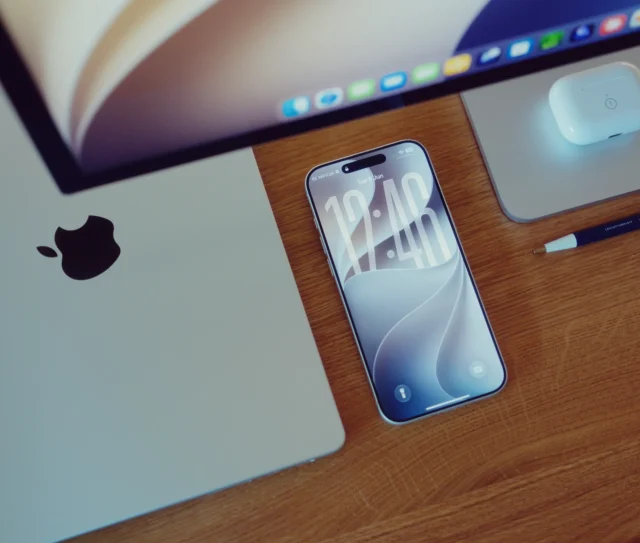
Every Mac, iPhone, and iPad an agency already owns includes Shortcuts, Apple’s built-in automation app, and most businesses are not using it for anything beyond the odd personal trick. Shortcuts can automate genuine agency admin work, from file renaming to client onboarding checklists, without buying a single new tool or writing any code. For a 70-150 person creative agency, that is real, unclaimed capacity sitting on every device already in the building.
I have been using Apple products since 1986, and the thing that still strikes me about Shortcuts is how deliberately Apple has kept it invisible. It is not marketed as a business tool. Most people only meet it through a handful of pre-built personal automations. That is exactly why it gets overlooked as a serious option for agency admin.
Automation conversations tend to jump straight to buying something, a subscription tool, a custom build, before checking what the business already owns. Shortcuts sits quietly on every Apple device in the building, fully paid for, and are worth ruling in or out before any new spend is considered.
Shortcuts automates real work without a single line of code
Shortcuts run two kinds of automation. On-device automations trigger from something that happens on the device itself, opening an app, arriving at a location, or plugging in a cable. Cloud-based triggers work through connected services, so a shortcut can react to something happening in iCloud, an email arriving, or a file landing in a shared folder.
The part that matters most for agency work is the handoff between devices. A shortcut started on a Mac can hand a task to an iPhone, and one built on an iPad can trigger something back on a Mac. A designer’s iPhone can prompt a file rename and move on a Mac automatically, without either device needing anything installed beyond what shipped with it.
This cross-device handoff is the piece most consumer-focused Shortcuts content never covers, since personal recipes rarely need a Mac and an iPhone working together. Agency admin, by contrast, almost always spans devices: a photo taken on an iPhone that needs filing on a Mac, or a checklist ticked on an iPad that should update a shared folder everyone else can see.
Five everyday agency tasks already sit within Shortcuts
Most of the admin work agencies pay staff time to do manually fits comfortably within what Shortcuts can already handle:
- Rename and file incoming client assets automatically, based on folder, date, or file type, rather than doing it by hand each time a batch arrives.
- Run a client onboarding checklist that creates the standard folder structure, sends a welcome document, and flags the account lead, triggered from a single tap.
- Compile timesheets or expense photos into one organised folder at the end of each day, instead of chasing loose receipts later.
- Send a standard status update to a client or internal channel automatically when a project moves to a defined stage.
- Back up a day’s working files to a specified location on a schedule, without anyone needing to remember to do it manually.
None of these need custom development. They use the same building blocks Shortcuts ships with, folder actions, text and file handling, and basic conditional logic, arranged to match how a specific team actually works.
Shortcuts has a genuine ceiling, and knowing where it sits saves wasted effort
Shortcuts are not a replacement for proper integration work, and treating it as one leads to fragile automations that break the moment a workflow gets more complex. It works well for tasks contained within Apple’s own ecosystem and a handful of well-supported services. It struggles once a workflow needs to reliably connect several third-party business systems, handle complex error recovery, or scale across a large team with permissions to manage.
That is the point where a tool like Zapier, or in more complex cases a custom API, becomes the better fit. Dr Logic recommends starting with Shortcuts for anything genuinely simple and self-contained, and escalating to a proper integration once a workflow needs to talk reliably to multiple external systems or handle real volume.
Knowing this ceiling in advance saves the most common mistake we see agencies make: building an increasingly elaborate chain of shortcuts to cover a workflow that really needed a proper integration from the start. The fix at that point usually means unpicking a fragile setup rather than simply upgrading it.
Ever get the feeling your IT is holding you back?
Whether you’re looking to make your existing systems more efficient or are toying with the idea of a complete overhaul, Dr Logic is here to help.
Shortcuts vs Zapier vs a custom API
| Factor | Apple Shortcuts | Zapier | Custom API |
|---|---|---|---|
| Cost | Included, no extra cost | Subscription, scales with volume | Development cost upfront |
| Coding required | None | None | Yes |
| Best for | Simple, device-based tasks | Connecting multiple SaaS tools | Complex, high-volume, compliance-heavy workflows |
| Cross-platform reach | Apple devices and a handful of services | 7,000+ apps | Fully custom |
| Reliability at scale | Limited | Good | Best |
| Setup effort | Minutes | Hours | Weeks |
What this means for an agency’s IT budget
The honest starting point for most agencies is to audit which small, repetitive tasks are already eating staff time, and check how many of them fit within what Shortcuts already does, before spending anything on a paid automation platform. It is the cheapest possible first step, since the tool is already paid for as part of every Apple device in the business.
Where a workflow genuinely outgrows Shortcuts, that is exactly the point to look at Zapier or a custom integration instead, rather than trying to force a complex process into a tool built for something simpler.
Curious how a custom integration may help your business? Explore how our innovation team may be able to help.
Related articles
- Zapier vs Custom APIs: Choosing the Right Integration Plan
- Workflow Automation Beyond IT: HR, Marketing, Sales Examples
- The human-AI partnership: Designing workflows around people, not tools
FAQs
Can Apple Shortcuts really automate business tasks, not just personal ones?
Yes. Shortcuts can rename and organise files, run onboarding checklists, compile daily documents, and send status updates automatically. It works well for genuinely simple, self-contained tasks that do not need to connect several external systems reliably.
Do we need to buy anything extra to use Shortcuts for agency admin?
No. Shortcuts is built into every Mac, iPhone, and iPad already in use across the business. There is no additional cost or software to install, which makes it the cheapest possible first step before considering a paid automation platform.
When should an agency use Zapier or a custom API instead of Shortcuts?
Once a workflow needs to reliably connect several third-party business systems, handle real volume, or manage complex error recovery, Shortcuts reach its limit. Zapier suits connecting multiple SaaS tools, while a custom API suits complex, high-volume, or compliance-heavy processes.
Does a shortcut built on one device work across a whole team?
A shortcut can be shared across a team, but each person runs it on their own device unless it is set up through a shared automation or managed distribution. For genuinely team-wide, always-on automation, a proper integration tool is usually a better fit.
Is Shortcuts secure enough for handling client files?
Shortcuts operate within the same security model as the rest of the device, so file handling stays within Apple’s standard protections. For agencies with specific compliance requirements around client data, it is worth confirming which shortcuts touch sensitive files as part of a wider device management review.