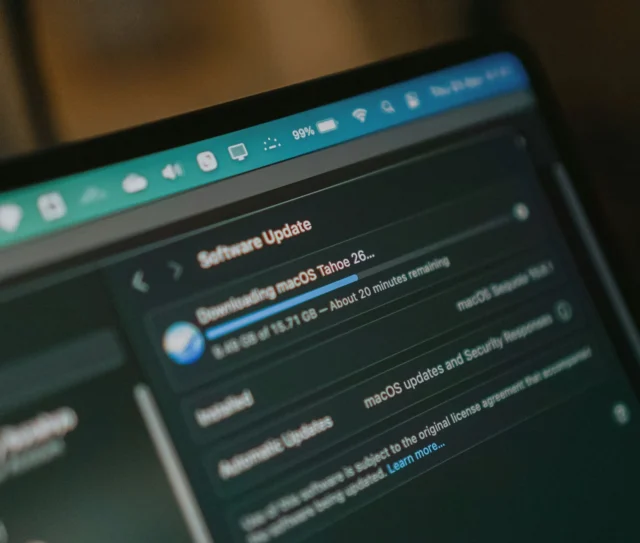
The period between Apple’s first major iOS public beta and the subsequent general release is the ideal opportunity to validate your Device Management Service (DMS, formerly MDM) policies before committing to a fleet-wide rollout.
With the release of the public beta, the testing window is officially open. While general availability follows Apple’s usual annual software release cycle, this phase remains the critical time for IT teams to ensure their configurations are ready for the upcoming production version.
Here are the practical steps IT teams should be taking to prepare for the transition to the latest operating systems.
Update – 24 August 2026: iOS 27’s public beta window is closing. The release candidate is expected this month, with general release landing around 14 September, timed to Apple’s iPhone event. If your test devices have been running the beta since July, this is the last window to catch configuration issues before the update reaches your full fleet. Two things to do now: freeze configuration changes on your validation group so the final beta build gives you a clean read, and confirm whether production devices update the week of general release or wait for the first bug-fix point release.
The testing window is now real
The public beta arrived in mid-July, following the third developer beta released earlier that month. Apple hasn’t confirmed the remainder of its release schedule, but based on its established annual cadence, a release candidate is expected around the September iPhone event, with general availability likely to follow in mid-September.
| Standard Cycle Milestone | Typical Timeline |
|---|---|
| WWDC26 Keynote & First Developer Beta | Early June |
| Iterative Developer Beta | June & July |
| First Public Beta | Mid-Summer |
| Release Candidate | Early September |
| General Release | Mid-September |
The availability of a public build means organisations can shift from planning to execution. Rather than waiting for the final autumn release, IT teams can begin validating hardware and policies immediately.
This guide focuses on the standard validation steps that should occur during every major OS cycle, ensuring your fleet remains secure and productive through the transition.
Enrol test devices only, not production fleet devices
Apple’s guidance remains consistent: beta software is intended for testing, not for business-critical daily use.
For managed environments, that means enrolling a small, representative group of test devices rather than upgrading production hardware. Ideally, those devices should reflect different departments, job roles and hardware types so you can identify configuration or compatibility issues before September.
Production devices should generally remain on the current stable release of iOS until you’ve validated your DMS policies against the beta and, ideally, the release candidate before the global rollout begins.
The summer testing window may feel generous, but it disappears quickly once application testing, user acceptance, and deployment planning are factored in.
Review your privacy and intelligence management policies
Your priority should be validating the areas of your DMS configuration most likely to be affected by the changes in the upcoming OS versions.
- OS intelligence and feature management policies. If you already manage system-level intelligence or Siri features through DMS, confirm those policies continue to behave as expected under the new OS version. The key task is to verify that existing controls still work as intended without introducing new vulnerabilities.
- System privacy settings. Confirm that privacy and data handling settings continue to enforce the behaviour your organisation expects, particularly regarding any new system-level features introduced in the latest update cycle.
- Business-critical applications. Test every line-of-business application and critical workflow against the beta. Never assume backward compatibility between major OS generations.
Establish AI governance policies before the general release
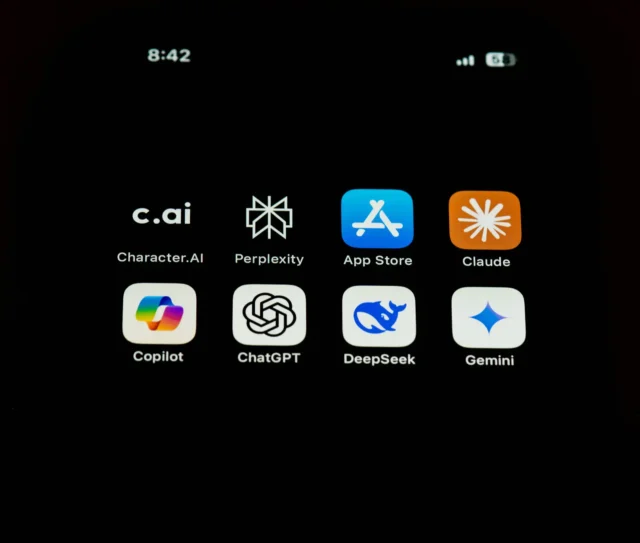
Major Apple updates often expand support for third-party AI services and language models. Organisations should review the latest OS-level integration options alongside their own data governance policies during the beta phase.
If your organisation hasn’t yet decided how external AI services should be used on managed devices, the beta period is the time to establish that policy. Waiting until the production release risks inconsistent usage across your fleet before governance is in place.
Maintain long-term hardware transition plans
Newer versions of macOS often move towards Apple silicon-only architectures or signal the end of life for legacy support frameworks. Each annual release is an opportunity to review which hardware in your fleet remains compatible with the upcoming production OS.
If your organisation still relies on legacy Mac hardware, use the annual beta cycle to continue planning your hardware refresh. The beta phase allows you to see exactly which features will be unavailable on older devices, informing your procurement priorities for the next budget year.
What this means for your fleet
The practical takeaway for every annual update cycle is straightforward.
The testing window is now open.
Rather than treating major software updates as a one-off event, incorporate them into a standard validation cycle. Enrol a representative group of test devices, validate your DMS policies against the current build, and ensure your organisation has a clear position on new system features before the production release arrives.
If your organisation needs assistance establishing a standard fleet-readiness plan or reviewing its management policies, our team can help you prepare for any major Apple rollout.
Related articles
- WWDC 2026: The Latest On iOS 27
- WWDC 2026: The Big Siri AI Overhaul
- Co-Managed IT for Mac Fleets: How DMS (Formerly MDM), Apple Business, and Jamf Licensing Work When Two Teams Share the Fleet
FAQs
Should I install the latest public beta on my work iPhone?
No. Best practice is to use beta software for testing rather than production use. Businesses should enrol a small number of dedicated test devices instead of upgrading primary work devices. Use the beta period to validate policies and application compatibility before a broader rollout.
When are major Apple OS updates generally available?
Following the established annual release schedule, major Apple software updates typically reach general availability in the autumn, following a series of summer beta phases and a final release candidate.
Do annual betas affect my hardware transition plans?
Yes. Major updates often limit new features to modern silicon and may drop support for older Intel-based Macs. Organisations should use each annual cycle to review their hardware compatibility list and plan transitions accordingly.
Can employees use external AI services on managed iPhones?
System-level integration with third-party AI services varies by region and OS version. Businesses should use the beta period to review how these features align with their specific device management and data governance policies.